Drive · 2026
PicoIDE
Unknown crowdsupply
Details
| Year | 2026 |
| Type | IDE/ATAPI Drive Emulator |
| Interface | 40-pin IDE connector, MPC-2 header, 3.5mm line-out jack |
| Links | picoide.com (external) |
Units
| Unit | Works | State |
|---|---|---|
| PicoIDE(1) | Unknown | crowdsupply |
| PicoIDE(2) | Unknown | crowdsupply |
Notes
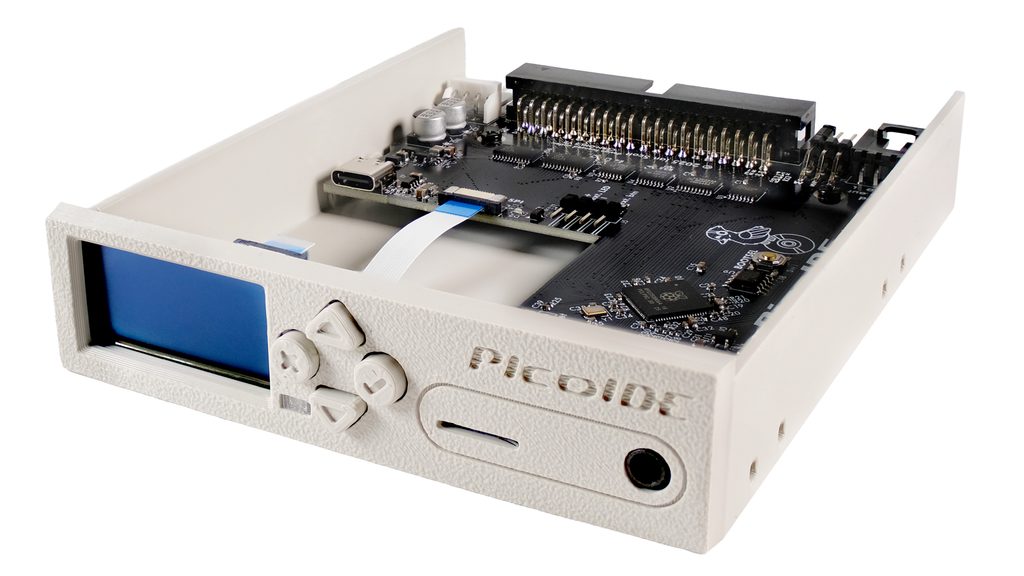
PicoIDE is an open-source IDE/ATAPI drive emulator that replaces aging hard drives and CD-ROM drives in vintage computers with solid-state microSD card storage. Simply put your disc/disk images on a microSD card and swap between them as needed.
Video on YouTube: https://youtu.be/QmApt9ooVes?si=81LNooLMiB6Ax3Lr
Features & Specifications
Device Emulation
- Emulates ATAPI CD-ROM drives and IDE fixed hard drives
- Images stored on microSD card (FAT32 or exFAT)
- CD-ROM formats: .bin/.cue (with audio track support), .iso
- HDD formats: .img, .hda, .vhd (with CHS geometry), .hdf
- LBA and CHS addressing modes for maximum compatibility
- Configurable vendor/model strings for compatibility with picky systems
Performance
- Supports PIO modes 0-4 and multi-word DMA modes 0-2
- Powered by Raspberry Pi RP2350
- IDE bus operations accelerated with PIO state machines
- Double-buffered read-ahead for optimal throughput
CD Audio Output
- High-quality TI PCM5100A DAC
- MPC-2 header for internal sound card connection
- 3.5 mm line-out jack for external audio
Physical Design
- Full 3.5-inch drive bay enclosure (injection molded)
- Standard 40-pin IDE connector
- 4-pin Molex power connector
- Headers for external activity LED and action button
- SPI header for future expansion
Front Panel
- 1.3-inch 128x64 OLED display
- 4-way navigation buttons
- RGB activity LED showing drive state at a glance (no image, image inserted, drive activity, update progress)
- Wi-Fi (ESP32-C3) for remote image management in AP or client mode
- Web interface for browsing, selecting, and uploading images
- QWIIC connector for additional expansion
Firmware Features
- Hot-swap image selection by reinserting microSD card
- DOS host utility (pidectl) for image switching without front panel
- Configuration via .ini file on microSD card
- Firmware updates from SD card